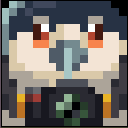

Nikon Camera
Photographs the game view to create photos you can save and frame.
guaniao:nikon_d750Obtaining
Craft with iron ingots, glass panes, redstone dust, and leather.
Crafting recipes


How to use
Opening the viewfinder and taking a photo
Hold the camera and right-click to open the viewfinder. Left-click to take a photo. Right-click or press Esc to exit.
Once the photo is uploaded and validated by the server, you receive image-containing Film. It drops beside you if your inventory is full. You do not need empty film before taking a photo.
Zoom and focus
Scroll the mouse wheel in the viewfinder to zoom, and press R to focus. AF-S is single autofocus, AF-C is continuous autofocus, and MF is manual focus. In MF, hold Shift and scroll to adjust the focus distance.
Filters · V
Press V in the viewfinder to open the filter library. Browse with the mouse wheel or arrow keys. Number keys 1–5 select Natural, Film, Black and White, Mood, and Experimental categories. Press V or Enter to confirm, Esc to cancel, or 0 to return to the original look.
Camera panel · C
Press C in the viewfinder to open the panel. Click a tab or press Q / E to switch between Lens, Mode, and Parameters. Changes preview live. C or Enter saves and closes; Esc discards the current changes.
Choosing a lens
The Lens tab offers Standard 50mm, Wide-Angle 24mm, Bird Telephoto 200mm, Macro 100mm, and Fisheye 8mm. Click an entry, scroll, or use the arrow keys to switch.
Choosing a mode
Auto, Bird Close-Up, Flying Birds, Macro, and Landscape each have preset lens, focal length, aperture, and focus settings. Selecting a mode changes all of these together.
Adjusting parameters
The Parameters tab lets you change focal length, focus distance, aperture, and focus mode. Click the relevant controls to edit; use the mouse wheel or arrow keys to change aperture. Press R to refocus on the current crosshair position.
Photo storage
Multiplayer photos are stored on the server. If a photo has no image or an upload fails, see the photography documentation and FAQ.

